
Billing & Revenue Cycle
A clearer path from session to payment
Ezi connects documentation, claims, and payments so your revenue cycle runs on the work your team already did.
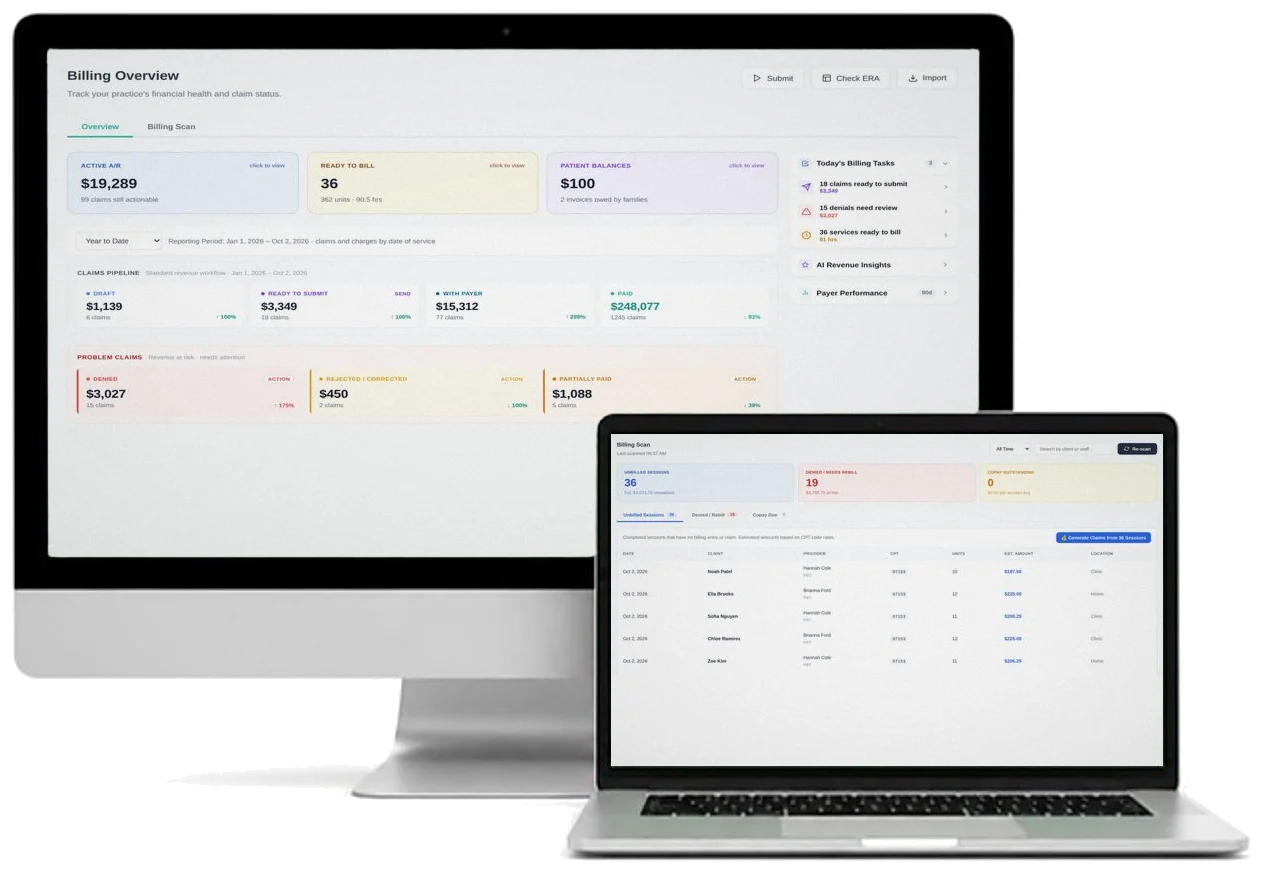
The revenue cycle breaks where the systems don’t connect
When documentation and billing live in separate systems, hours go unbilled and denials pile up. Ezi keeps billing connected to the sessions behind it.
What you can do
Session-to-claim workflow
Turn documented sessions into claims without entering the same information twice.
Unbilled work tracking
Easily see unbilled sessions and open balances so nothing delivered goes unpaid.
Cleaner claims
Catch potential billing problems before submission, while they’re still easy to fix.
Denial management
Track denied and rejected claims and prioritize the ones worth reworking.
Payment reconciliation
Match remittances and payments back to the claims they belong to.
Client invoices
Generate client invoices and statements for patient-responsibility balances.
How the revenue cycle flows
Session completed
Delivered, documented sessions become the basis for a claim.
Claim prepared
Claims are reviewed and readied for your clearinghouse.
Payment posted
Payments are matched back to the right claims.
Denials managed
Denied claims are tracked and reworked, not lost.
One connected platform
Billing runs on the rest of Ezi
Ezi ties the revenue cycle to sessions, documentation, authorizations, and analytics.
Who it’s for
Billing teams working the claims, and the owners and directors who need to see the money move.
Plan availability
Billing, claims, and client invoices are included from Practice up. Advanced billing intelligence and denial analytics are included from Professional up. See the pricing page for plan details.
Compare plansSee how Ezi connects documentation and billing workflows
Start a 14-day free trial with full Professional access, or book a demo to walk through the revenue cycle.